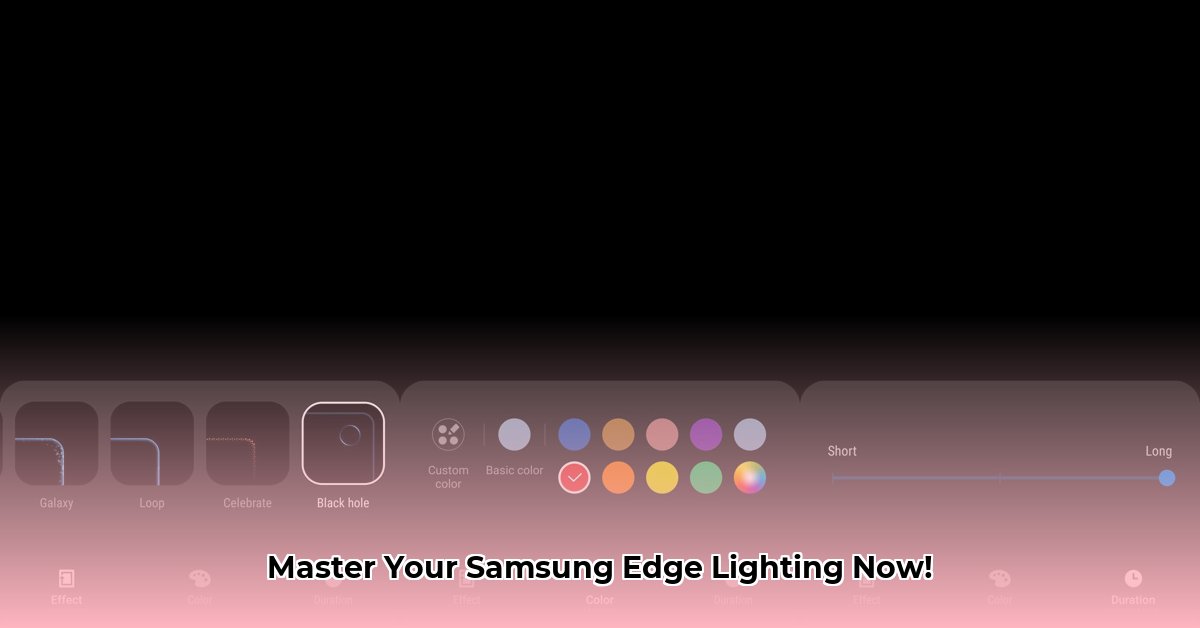
Want to personalize your Samsung phone's notifications with vibrant edge lighting? This guide explores the world of Samsung Edge Lighting APKs, offering a safe and effective path to customization. We'll compare different approaches, highlight potential risks, and provide step-by-step instructions.
Samsung Edge Lighting APKs: A Landscape of Options
Samsung offers multiple ways to customize edge lighting. Your phone might include a basic built-in app. However, for advanced customization, the Good Lock suite and its Edge Lighting+ module are popular choices. This creates a diverse app ecosystem with various versions, each posing different levels of risk and reward.
Older versions, often found on unofficial websites, may lack features or cause compatibility issues. Using the latest versions from official sources is crucial for a smooth and secure experience.
Finding Reliable Samsung Edge Lighting APKs
The safest route is downloading apps from the official Samsung Galaxy Store or, in some cases, the Google Play Store. These sources ensure you obtain the most up-to-date and secure versions of the software.
However, many users turn to APKMirror and similar unofficial repositories. While APKMirror employs verification procedures, these are not as robust as official app stores' verification processes. Downloading from these sources increases the risk of encountering corrupted or even malicious files. This trade-off between convenience and risk needs careful consideration.
Comparing Samsung's Built-in App and Good Lock's Edge Lighting+
Let's compare the built-in app (often pre-installed) with the more feature-rich Good Lock's Edge Lighting+:
| Feature | Samsung's Built-in App | Good Lock's Edge Lighting+ |
|---|---|---|
| Customization | Limited options | Extensive customization options |
| Compatibility | Generally good | May require a recent software update |
| Download Source | Usually pre-installed or Galaxy Store | Galaxy Store (recommended) or APKMirror (higher risk) |
| Security Risk | Minimal | Moderate to High (if downloaded from unofficial sources) |
Think of the built-in app as a reliable but basic bicycle, while Good Lock's Edge Lighting+ is a high-performance mountain bike—offering more capabilities but requiring greater care and attention.
Safely Installing Your Chosen Samsung Edge Lighting APK
Installing from the Galaxy Store or Google Play Store is straightforward. However, if using APKs from unofficial sites, prioritize safety:
Scrutinize the Source: Before downloading, thoroughly check the APK version's details, reviews, and download counts on sites like APKMirror. Low download counts or negative reviews may indicate a problematic file.
Verify File Integrity: Many sites provide checksums (SHA-1 or SHA-256). Use a checksum verifier to ensure the downloaded file is unaltered.
Perform a Virus Scan: Scan the downloaded APK with a reputable antivirus application before installation.
Enable "Unknown Sources" (Temporarily): You'll need to enable "Unknown Sources" in your Android settings to install APKs from unofficial sources. Critically, disable this setting immediately after installation. This is a critical security measure.
Install the APK as you would any other application once these precautions are taken.
Customizing Your Edge Lighting: Unleashing Creativity
After installation, explore the app's settings. Customization options vary, but most apps allow adjusting:
- Lighting Effects: Choose from pre-set animations or create your own.
- Colors: Select specific colors or let the app dynamically match notification colors.
- Notification Triggers: Specify which apps trigger edge lighting—prioritizing urgent messages or social media notifications.
Troubleshooting and Common Issues
Compatibility problems, especially with older software or phone models, may arise. If you encounter issues, check for app updates. If the problem persists, contact the app developers for support; open communication is crucial for effective troubleshooting.
In conclusion: Customizing Samsung's edge lighting enhances the user experience. Prioritize safety by using official app stores. If employing unofficial sources, exercise caution and follow the safety steps meticulously. Enjoy your personalized notification glow!
How to Safely Customize Samsung Edge Lighting with Good Lock
Key Takeaways:
- Good Lock provides extensive edge lighting customization, but updates can occasionally break functionality.
- Official channels (Galaxy Store) significantly reduce security risks.
- Recognize and understand potential downsides before proceeding.
- Back up your data before significant changes.
- Utilize community forums for troubleshooting.
Good Lock offers superior customization, but safe usage is paramount. This section provides a step-by-step guide:
Understanding the Risks Before Customizing
Downloading unofficial APKs increases the risk of malware. Updates can cause unexpected issues, breaking customizations or introducing glitches. Using the official Galaxy Store is crucial for minimizing these risks.
Step-by-Step Customization with Good Lock
- Download Good Lock: Find and install "Good Lock" from the Galaxy Store.
- Install Edge Lighting+: Good Lock will guide you to install necessary modules, including Edge Lighting+. Select the module compatible with your phone's One UI version.
- Explore Customization Options: Thoroughly examine and adjust color, effects, and notification styles.
- Test and Verify Changes: Before saving permanently, test your customizations to prevent unexpected problems.
- Create a Backup: Back up your phone's settings before major changes as a precautionary measure.
Troubleshooting and Seeking Community Support
Encountering problems? Online Samsung communities offer support. Search for solutions specific to your device and One UI version. Describe your issue clearly when seeking assistance.
Weighing the Pros and Cons of Good Lock
| Pros | Cons |
|---|---|
| Extensive edge lighting customization | Potential software instability after updates |
| Enhanced notification personalization | Unofficial APKs present security risks |
| Engaging visual experience | Requires careful navigation to avoid problems |
| Seamless integration with other Good Lock modules | Possible incompatibility with certain Samsung models or One UI versions |
Responsible customization involves understanding and mitigating risks. Prioritize official channels and take precautions to fully enjoy personalized edge lighting without complications.
⭐⭐⭐⭐☆ (4.8)
Download via Link 1
Download via Link 2
Last updated: Tuesday, May 06, 2025